 This pageAI Traffic
People who clicked through to your site from an assistant. Measured in GA4: sessions, new users, engagement rate, key events. A real visit you can attribute.
Feature
See exactly how many people arrive from ChatGPT, Copilot, Perplexity and the rest — and what they do next. Grouped into one channel from your own GA4 data, which GA4 won't do on its own.
What you get
Assistant referrals land in GA4 scattered across hostnames. This groups them, then reports each one properly.
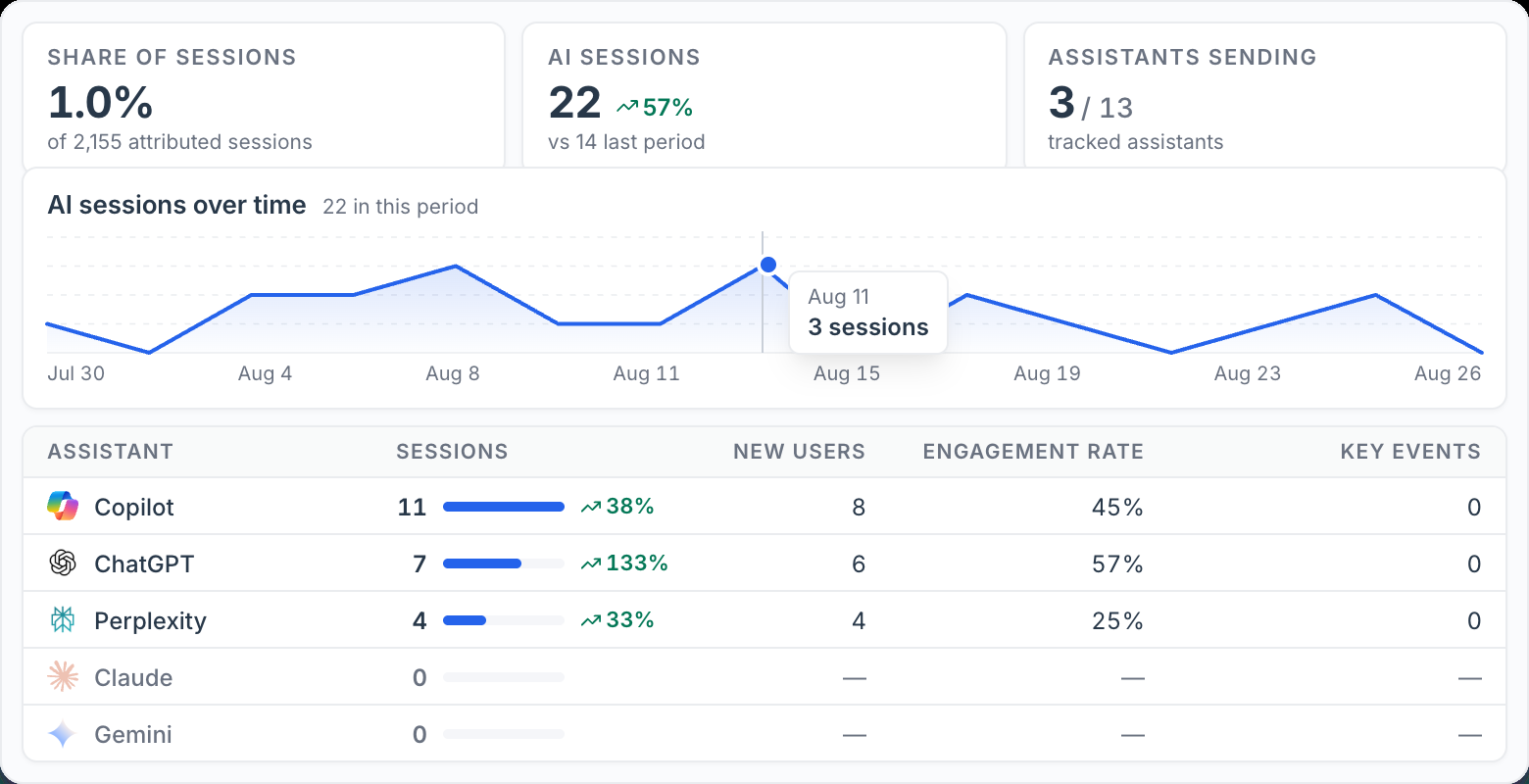
What proportion of your attributed traffic came from an assistant, so a small channel is still a number you can act on.
The trend across the period, against the previous one, so you can see whether the channel is actually growing.
Sessions, new users, engagement rate and key events for each assistant, side by side rather than lumped into referral traffic.
How many of the tracked assistants actually sent anyone — the ones on zero are shown too, not quietly dropped.
Engagement rate and key events per assistant, so twenty visits that convert don't read the same as twenty that bounce.
Attribution comes from your Analytics property. No tag to install, no sampling, and nothing estimated on your behalf.
Assistants tracked
 ChatGPT
 Copilot
 Perplexity
 Claude
 Gemini
 Meta AI
 Grok+ others
The others bucket catches emerging tools like You.com, Poe, Phind and Mistral. An assistant that sent nothing still appears at zero, so you can tell no traffic apart from not tracked.
Worth separating
Two different questions. Most brands need both answers, and confusing them leads to the wrong conclusion.
This pageAI TrafficPeople who clicked through to your site from an assistant. Measured in GA4: sessions, new users, engagement rate, key events. A real visit you can attribute.
Whether an assistant mentions or cites you in its answer at all — which usually produces no click, and so never shows up in analytics. Measured by tracking prompts and reading the answers.
Page level
The channel total tells you the size. This tells you what to do about it — the exact landing pages an assistant chose to cite, and how those visitors behaved once they arrived.
AI traffic by landing page
Which landing page each assistant sent people to
CopilotChatGPTPerplexity| Landing page | Sessions | New users | Engagement | Key events |
|---|---|---|---|---|
| /passport/united-states | 6 | 5 | 62% | 31 |
| /blogs/us-passport-photo-requirements | 5 | 4 | 48% | 22 |
| /passport/australia | 4 | 4 | 55% | 18 |
| /visa/schengen | 3 | 2 | 41% | 9 |
| /blogs/passport-photo-size | 2 | 2 | 33% | 6 |
| /pricing | 2 | 1 | 70% | 3 |
See only the pages Copilot sends to, or ChatGPT, or Perplexity.
Sessions, new users, engagement rate and key events, per landing page.
The pages that repeatedly earn AI referrals are the ones worth writing more of.
Report template
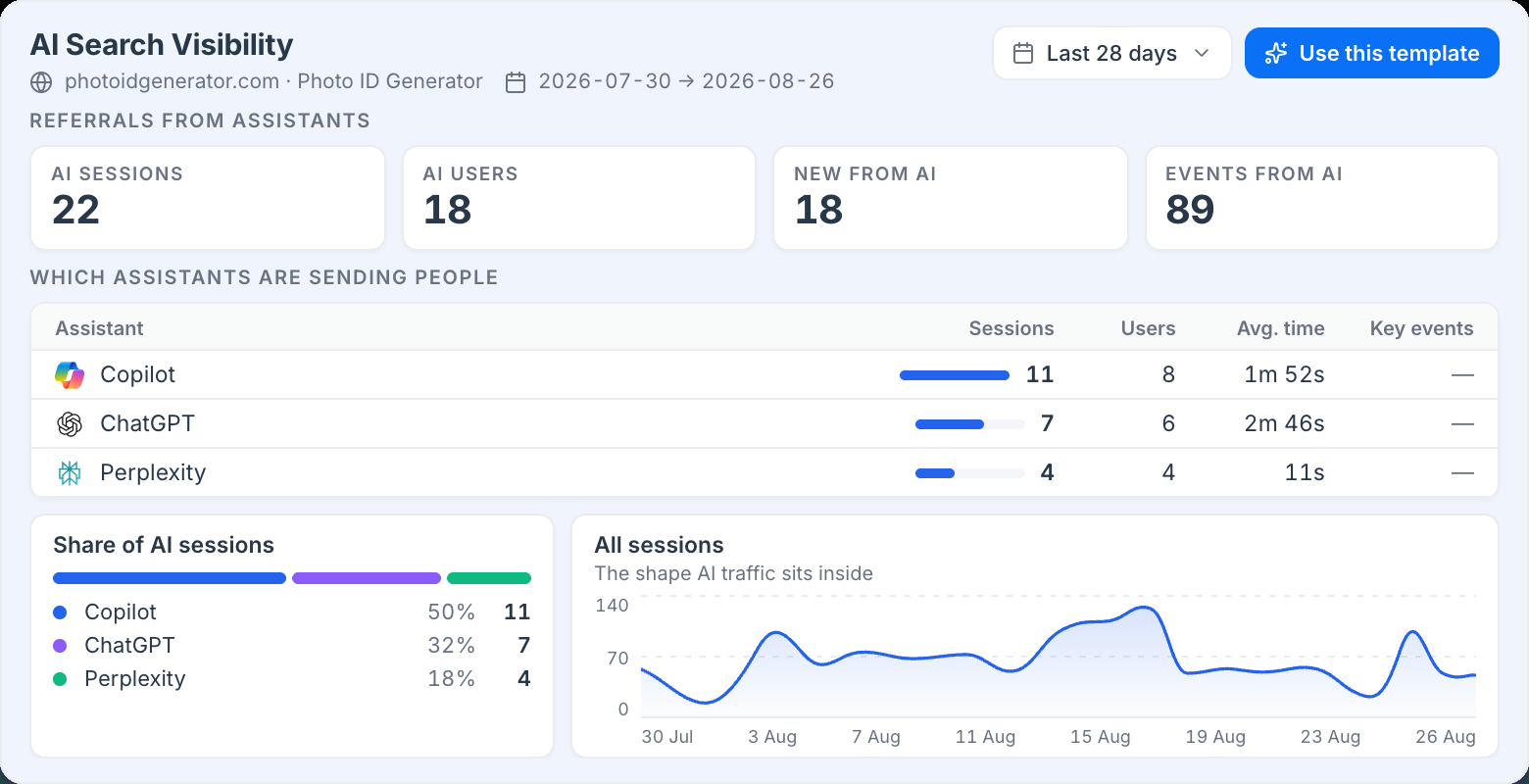
A ready-made AI Search Visibility report. Pick the template, choose a date range, and it fills with the client's own numbers — no rebuilding it every month.
Questions
It reads your Google Analytics 4 property and attributes sessions whose referral source is an AI assistant, then groups them into a channel of their own. There is no extra tag to install — if GA4 already recorded the visit, Easy Fetcher can classify it.
More
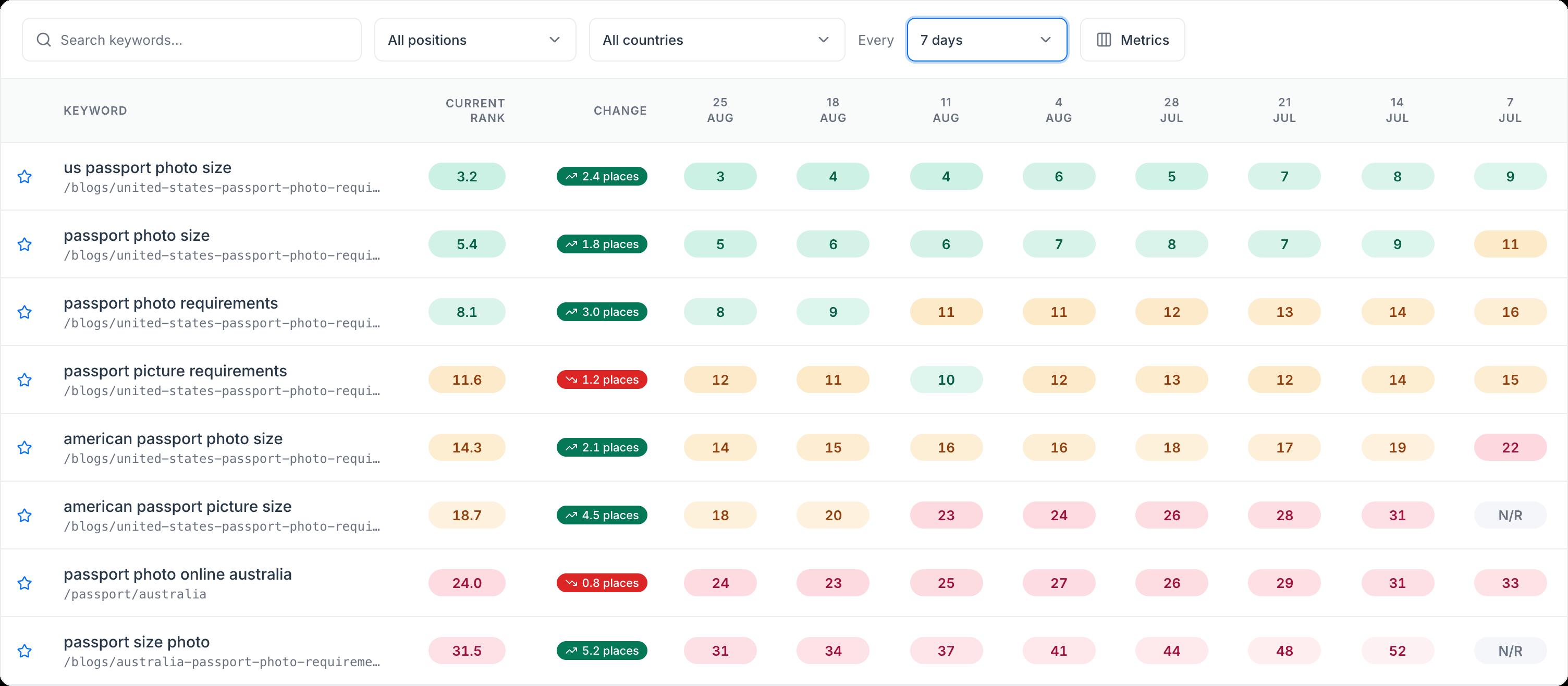 Keyword Rank TrackerEvery keyword your domain ranks for, with position history, movement and country filters — read from your own Search Console property, so there's no keyword quota.
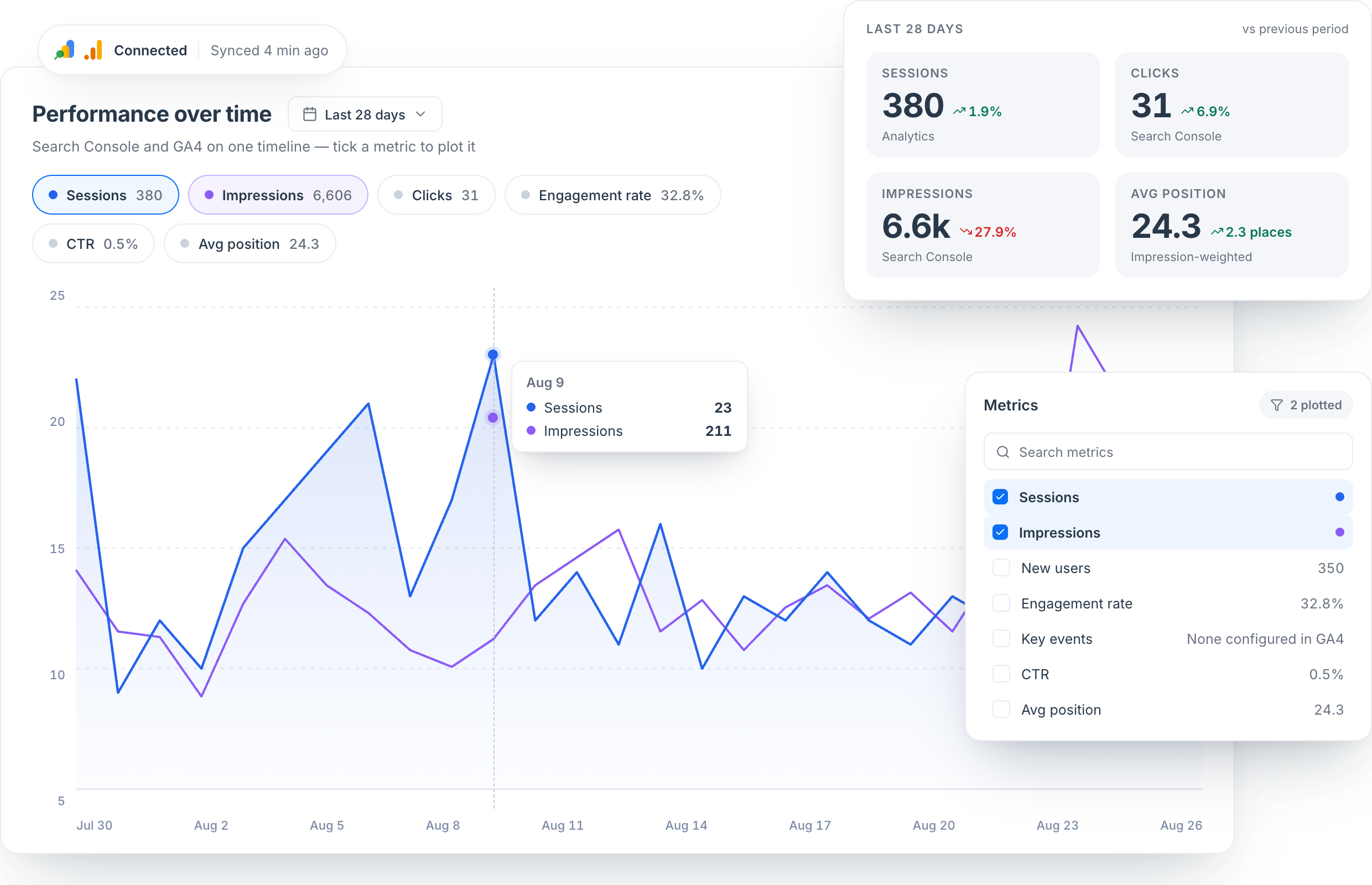 SEO PerformanceSearch Console and GA4 on one timeline — impressions against sessions, then broken down by country, city, channel and device.
Connect GA4 in about two minutes and see the channel broken out per assistant.
Get Started